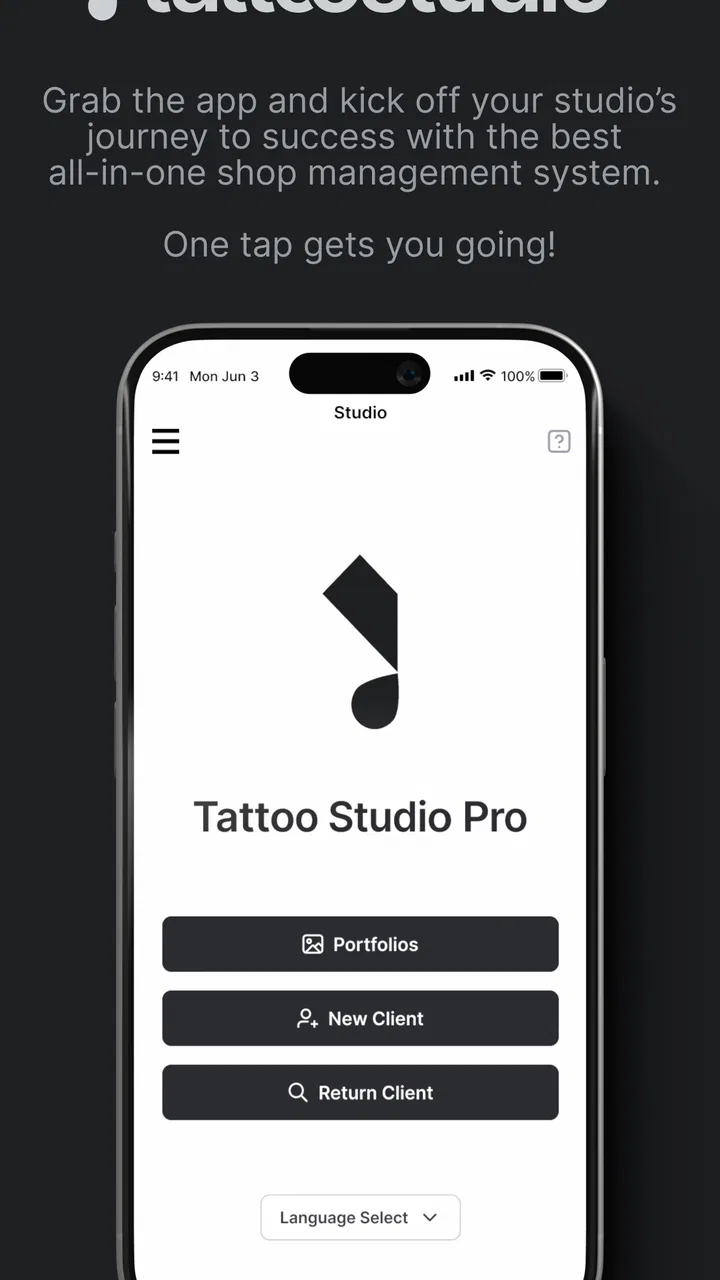
Tattoo Studio Pro
- 3.7
- Rating
- 10.00K
- Installs
- Free
- Price

 Analysis by App-foxy
Running a tattoo or piercing studio involves much more than making good art. I have to keep appointments, client details, artist availability, service information, and day-to-day business tasks from colliding. Tattoo Studio Pro is built for that specific environment rather than for a general office. It is a free business app from Zadie Studio, aimed at tattoo and piercing studios that want a dedicated management system on an Android device.
My first impression is that its value depends less on flashy presentation and more on whether it fits the way a studio already works. It makes the most sense when the team is tired of relying on scattered notes, personal calendars, and conversations that are easy to lose. It is not a universal replacement for every business tool, but it can give a small body-art shop a more focused place to organize its working day.
Building a calmer studio workflow before opening the app
Before using any management app, I would first map the studio’s real routine. A typical day may begin with checking upcoming appointments, confirming who is working, preparing for consultations, and making sure the front desk knows what needs attention. Later, the team may need to handle walk-ins, reschedule clients, answer questions, and keep the artists moving without creating double bookings.
You May Also Like

 AccuWeather: Weather Radar
AccuWeather Review: A Quick, Clear Forecast for Everyday Decisions
For everyday plans, the best forecast is the one you can understand quickly. AccuWeather makes rain timing, radar, and local conditions easy to act on, with a few trade-offs.

 Hill Climb Racing
Why Hill Climb Racing Still Turns Crashes Into One More Run
A tiny car, a bumpy hill and one more upgrade: Hill Climb Racing keeps resurfacing because its simple chaos makes every near-miss feel personal.

 AliExpress - Shopping App
AliExpress Makes Global Shopping Feel Personal, but Shoppers Bear the Risk
AliExpress turns a global marketplace into a pocket-sized discovery engine. Its reach is useful, its shopping loop compelling, and its trade-offs easy to miss.

 Lords Mobile: Kingdom Wars
Lords Mobile Is a Kingdom-Building Routine, Not a Quick Match
A case-by-case verdict on the building, battles, device demands, and social commitments that make Lords Mobile rewarding for some players and exhausting for others.

 PDF Scanner app - TapScanner
TapScanner Makes Paperwork Easier to Capture, Check, and Share
TapScanner makes scanning with a phone feel less like a rescue operation and more like a dependable step in getting work done. Its capture tools are useful, though not flawless.

 Block Blast!
Block Blast! Shows How Much a Puzzle Game Can Leave Out
A quiet grid game shows why puzzle players increasingly value instant clarity, repeatable skill and low-pressure play—and where the genre still needs to catch up.
More From Our News Desk
View All News


That preparation matters because a digital system cannot repair an unclear process by itself. If nobody agrees who records an appointment, when a consultation becomes a confirmed booking, or who updates a change, the same confusion simply moves onto a screen. I would establish one basic rule: one person owns the schedule during each shift, while artists can communicate changes through the agreed studio process.
This is where the app’s specialization becomes useful. A normal calendar is good at placing events on dates and times, but it does not naturally reflect the language of a tattoo and piercing business. A general notes app can store client information, yet it quickly becomes difficult to search and maintain. A studio-focused system gives the workflow a more relevant home, even if the team still needs separate tools for accounting, marketing, or detailed design work.
For a small studio, I would begin with a short setup session rather than trying to enter every historical record at once. Start with active appointments and the information needed for the next week. This makes it easier to notice whether the app matches the studio’s habits. If the team struggles to use it for a small, current workload, importing years of old notes will only make the transition more frustrating.
Turning scattered requests into organized work
The most practical benefit of a dedicated business app is the chance to turn conversations into trackable work. A client who sends a message, calls the shop, and later changes the appointment can create three separate versions of the truth if the studio does not record the final decision in one place. I would use the system as the point where the confirmed plan lives, while treating casual messages as temporary communication.
A useful habit is to update the record immediately after a phone call or in-person conversation. Waiting until the end of the day sounds harmless, but busy studios are exactly where small details disappear. A few minutes between clients is usually safer than trying to reconstruct the schedule from memory after closing.
Another helpful distinction is separating confirmed work from ideas still under discussion. Tattoo concepts often change during consultation, and a client may not yet be ready to commit to a date. Keeping tentative requests clearly separate from confirmed appointments helps prevent an enthusiastic conversation from becoming an accidental booking. That discipline is more important than filling every available field.
I would also avoid using the app as a dumping ground for every note the studio has ever created. The strongest records are short, current, and useful to the next person who opens them. If a note does not help someone prepare, contact the client, or understand the appointment, it may belong elsewhere. This keeps the management system readable during a busy shift.
A repeatable routine for the team
The app becomes more valuable when it supports a repeatable routine instead of being opened only during a crisis. I would check the upcoming schedule at the start of each working day, review changes before the first appointment, and close the day by making sure completed or moved items are represented correctly. This simple rhythm reduces the chance that the next morning begins with unanswered questions.
For studios with several artists, the routine should include a quick availability check before confirming new work. A client may request a particular artist, a specific service, or a time that looks open at first glance but is not practical once preparation and cleanup are considered. A schedule is not truly available just because a blank space appears on it. The team still needs to judge whether the appointment fits the artist’s working pattern.
I found that a short handover note can be more useful than a long explanation. If an appointment has a special timing concern, a follow-up question, or a change requested by the client, record the action that the next staff member needs to take. This keeps the app connected to real work rather than turning it into an archive nobody reads.
One non-obvious advantage of a focused routine is that it exposes recurring friction. If the same type of appointment repeatedly needs manual clarification, that is a sign the studio’s process needs a clearer rule. The app can reveal where the business is losing time, but the team still has to decide how to simplify that step.
Where the system can save time—and where it cannot
Compared with a paper diary, a studio management app is easier to keep consistent when several people need to see the same operational picture. Paper can be quick for one person, but it becomes vulnerable to handwriting problems, misplaced pages, and last-minute changes. Compared with a general calendar, a dedicated product should feel closer to the studio’s daily vocabulary and priorities.
That does not mean it replaces every alternative. A spreadsheet may be better for custom reporting or unusual business calculations. A full accounting service remains more appropriate for financial records, tax preparation, and detailed expense tracking. A customer relationship platform may offer deeper marketing automation. I would choose Tattoo Studio Pro for the studio’s operational center, not as an excuse to force every business task into one app.
The free price makes experimentation easier for a small shop, especially one moving away from notebooks or informal scheduling. However, the app also lists in-app purchases ranging from $29 to $999.99 per item. That broad range is a reason to examine the purchase screen carefully before building the studio’s entire workflow around paid capabilities. A free download is a useful starting point, but the long-term cost should be judged against the number of artists, the volume of appointments, and the value of the features the team actually needs.
I would make that decision collectively. The person who books appointments may value speed, while the owner may care more about control and consistency. If only one person understands the system, the studio remains dependent on that person. A sustainable setup gives every regular user a small, clear responsibility and keeps the basic routine simple enough to survive busy days.
Failure points worth planning for
No management system removes the need for backups in human behavior. The main risk is stale information. If an artist agrees to a change in a private conversation and nobody updates the central record, the app can appear organized while still being wrong. I would make “update the record after confirming a change” a studio rule, not an optional courtesy.
Another failure point is overloading records with sensitive or irrelevant detail. Body-art businesses handle personal client information, so staff should record only what is genuinely needed for the work and follow the studio’s own privacy practices. A tidy system is not just easier to use; it also reduces the temptation to store unnecessary personal commentary.
Device dependence can create friction as well. If the studio’s only working device is unavailable, the team may struggle to access the schedule at exactly the wrong moment. I would keep a simple emergency procedure for the day’s confirmed appointments, without treating that backup as a second full system that must be maintained constantly. The goal is resilience, not duplicate administration.
There is also a human failure mode: using the app only when something goes wrong. That creates a record full of corrections but no dependable history of normal work. A short daily review is more sustainable than occasional cleanup sessions. If the routine takes too long, reduce the information captured to what the team can maintain consistently.
Finally, a studio should not assume that a specialized label guarantees a perfect fit. The average rating is 3.7 from around 41 ratings, with about 13 written reviews, and the app has reached over 10K installs. Those figures suggest a real but relatively modest user base rather than overwhelming proof that every studio will love it. I would treat that as a reason to test the workflow personally and involve the staff before committing to a larger rollout.
Everyday scenario: handling a changing appointment
Imagine a client calls in the morning to move a piercing appointment because the original time no longer works. The receptionist checks the studio schedule, identifies a suitable opening, and records the new arrangement immediately. The artist sees the updated plan before preparing for the next client, and the old time is no longer treated as active work.
That sounds basic, but it is exactly the kind of small change that causes trouble when one person writes in a notebook, another checks a personal calendar, and a third relies on memory. The app’s usefulness appears in the handoff: the confirmed version becomes visible as part of the studio’s workflow instead of remaining inside one conversation.
There is a second lesson in this scenario. The receptionist should not use the system merely to move a time slot. The note should make clear what the next staff member needs to know, while avoiding a long transcript of the call. This balance keeps the record actionable and prevents the schedule from becoming cluttered with unnecessary narrative.
Who should adopt it, and who should skip it
I would recommend trying this app if you run a small tattoo or piercing studio and your current process is split between paper, personal calendars, and informal messages. It is also worth considering if your team needs a business tool that speaks more directly to studio operations than a generic productivity app does. The strongest candidate is a shop willing to agree on one shared routine and maintain it daily.
It may be a reasonable fit for a solo artist too, but only if the management features save more time than they require. A solo operator with a light schedule may find a simple calendar sufficient. In that case, adopting a specialized system could add an extra layer of administration without solving a real problem.
I would be more cautious for a large multi-location business, a studio needing advanced financial controls, or a team that depends on detailed reporting and integrations. Those businesses may outgrow a focused mobile management tool and prefer a broader platform designed around permissions, reporting, and connected operations. The fact that this app is available for Android with a minimum requirement of Android 8.0 makes it accessible to many users, but device compatibility alone does not guarantee that it covers a complex organization’s needs.
The Everyone age rating describes broad app suitability, not professional suitability. The real question is whether the workflow matches the studio’s responsibilities. Owners should also consider who will be responsible for training, record maintenance, and reviewing any paid options. A free starting point is attractive, but a system only becomes useful when the team can operate it reliably.
Practical setup advice for a sustainable system
I would begin by defining the minimum record that every appointment needs. Keep it consistent, easy to scan, and focused on decisions that affect the day. Then create a short opening check and closing check. The opening review catches changes before they become surprises; the closing review prevents unfinished updates from carrying confusion into tomorrow.
Next, test the system during a normal week rather than during an unusually quiet period. Busy days reveal whether entering changes is quick enough, whether staff understand the same labels, and whether the schedule remains readable when several things move at once. Ask each user to describe the process in their own words. If their explanations differ, the studio needs a clearer rule before it needs more features.
I would also review the purchase choices before inviting the whole team into a permanent workflow. Since individual in-app purchases can extend from $29 to $999.99, the owner should identify which expense is justified and whether it is a one-time decision or part of an ongoing operating cost. That conversation is easier before the business has become dependent on a particular paid function.
Keep the version current as part of normal device maintenance. The app is listed at version 4.3.16, and using the current release available to the device is generally sensible for stability and compatibility. I would still avoid updating immediately before a critical day without first checking the workflow, especially if the studio relies on the app for its main schedule.
My final view after fitting it into studio life
Tattoo Studio Pro is most convincing as a focused organizing tool for a small body-art business that has outgrown improvised scheduling. I like the idea of bringing appointment management and studio coordination closer to the work instead of forcing tattoo and piercing artists to translate everything into a generic office system. Its free entry point also makes a controlled trial practical.
My reservation is that the app cannot create discipline where the team has none. Records still need timely updates, staff still need agreed responsibilities, and owners still need to evaluate the cost of optional purchases. The modest rating and relatively small review history make personal testing especially important. I would not adopt it blindly for a complicated operation.
For the right studio, though, the app can become a useful daily anchor: check the plan, capture changes, hand over clear information, and close the day with the record in order. If that is the problem you are trying to solve, I think it is worth installing and testing with real appointments. If you only need a basic calendar or a full accounting and reporting platform, I would choose the simpler or more powerful alternative instead.
FAQs for Tattoo Studio Pro
01What is Tattoo Studio Pro and what can I do with it?
Tattoo Studio Pro is a mobile design tool for exploring tattoo ideas and creating personalized concepts before visiting a tattoo artist. After testing its main features, the app is most useful for experimenting with styles, symbols, lettering, placement, and visual combinations. It can help you communicate an idea more clearly, although the final tattoo should always be reviewed and refined by a professional artist.
02Is Tattoo Studio Pro suitable for beginners without design experience?
Yes, Tattoo Studio Pro is generally approachable for beginners because it lets users experiment visually without requiring advanced drawing skills. You can try different tattoo concepts, adjust the appearance of a design, and compare several ideas before making a decision. However, some tools may take time to understand, especially if you want precise customization, detailed compositions, or a more realistic preview.
03Can I preview a tattoo on my body using Tattoo Studio Pro?
The app is designed to help users visualize tattoo concepts, but the accuracy of a body preview depends on the specific tools and device features available in your installation. A digital mockup should be treated as a reference rather than an exact prediction. Skin tone, body shape, movement, lighting, tattoo size, and the artist’s technique can all make the finished result look different.
04Does Tattoo Studio Pro include professional tattoo designs and customization options?
Tattoo Studio Pro provides inspiration and customization features intended to help users develop an original concept. Depending on the version, the available library may include different categories, styles, symbols, or decorative elements. Before downloading, check the current app listing for details about the included content and any premium features, since design collections and editing options can change through updates.
05Is Tattoo Studio Pro free to download, and are there in-app purchases?
Tattoo Studio Pro may be available as a free download while offering optional paid features, premium content, subscriptions, or advertising, depending on the platform and current release. Users should review the Google Play Store or Apple App Store listing before installing to confirm the pricing model. Also check subscription terms carefully, particularly trial periods, automatic renewal, and cancellation requirements.
Pros
- Large tattoo design library for quick inspiration
- Useful tools for planning placement and visualizing ideas
- Clean interface that is easy for beginners to navigate
- Works well for organizing favorite tattoo concepts
- Helpful reference before consulting a professional tattoo artist
Cons
- Some designs or tools may require an in-app purchase
- Limited options for customizing certain tattoo templates
- Results depend on your device's camera and screen quality
- The app cannot accurately predict the final tattoo appearance
- May feel too basic for experienced tattoo designers

Tattoo Studio Pro
Gallery